Search
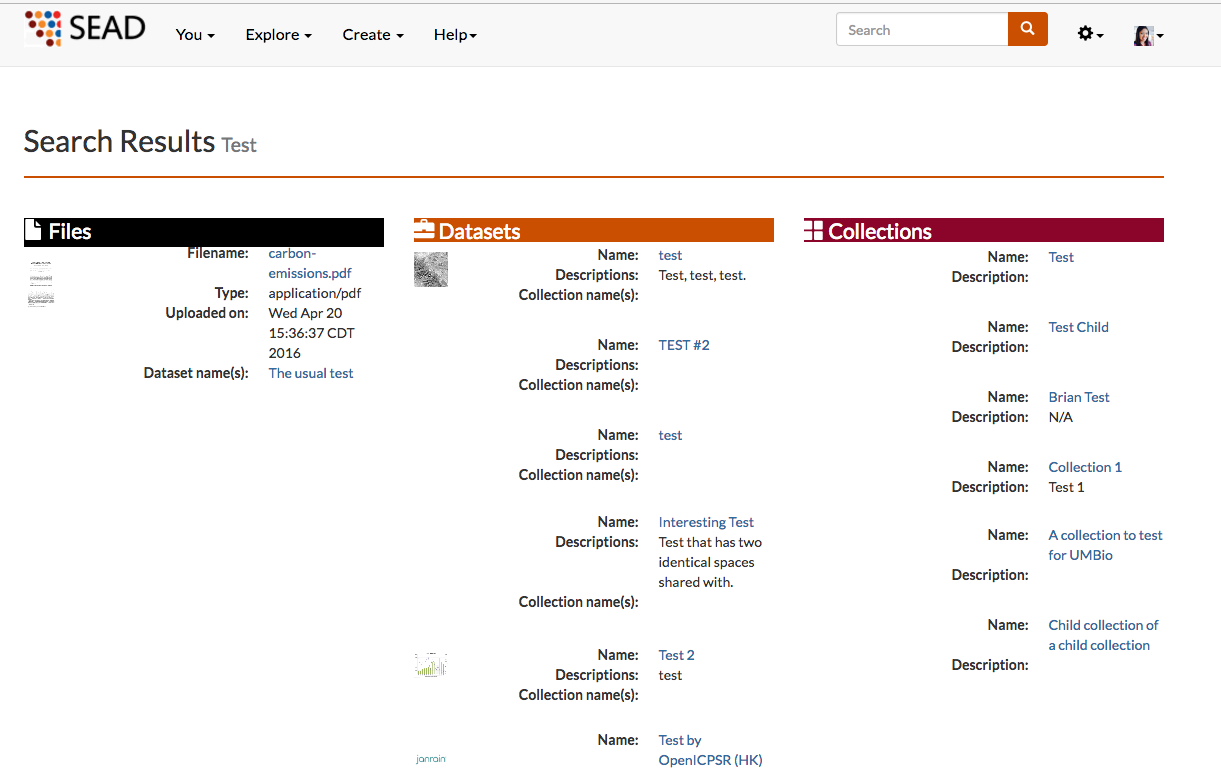
In Clowder, you can search datasets, collections and files by name and description. To do so, just input the string you want to look for in the search box on the top right. As indicated in the image below with a blue box and click on the search button next to it or click enter. The image below also shows a sample result of a search.
Advanced Search
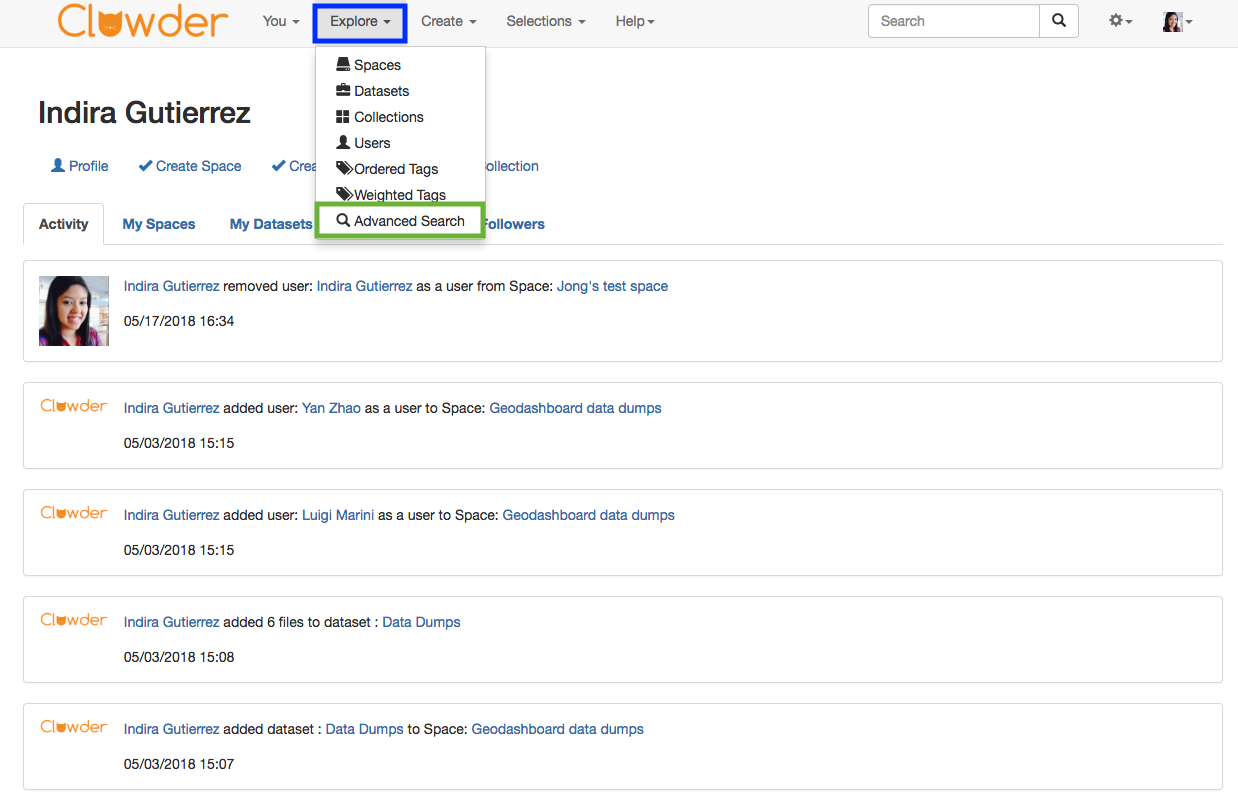
There is an advanced search which allows users to search by metadata. This is available by clicking Explore in the top navigation and then clicking Advanced Search
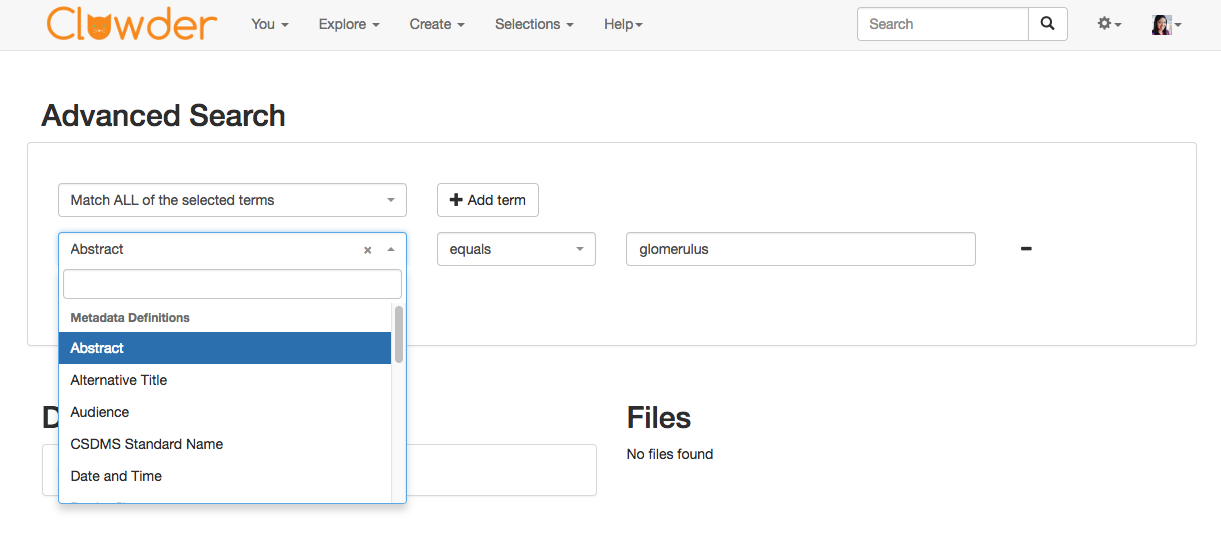
This page allows users to search by metadata, it lists user defined metadata fields as indicated by the open dropdown in the next figure. It also allows users to search on extractor metadata, but the user need to start typing the name of the extractor metadata field in order to select it. The results are files and datasets that match the criteria. The search can have multiple terms and the results could match all the selected terms or any of the selected terms.